

Updates for one year, unlimited sites, auto updates, and regular updates.
$3.99
 BookmarkBookmarked
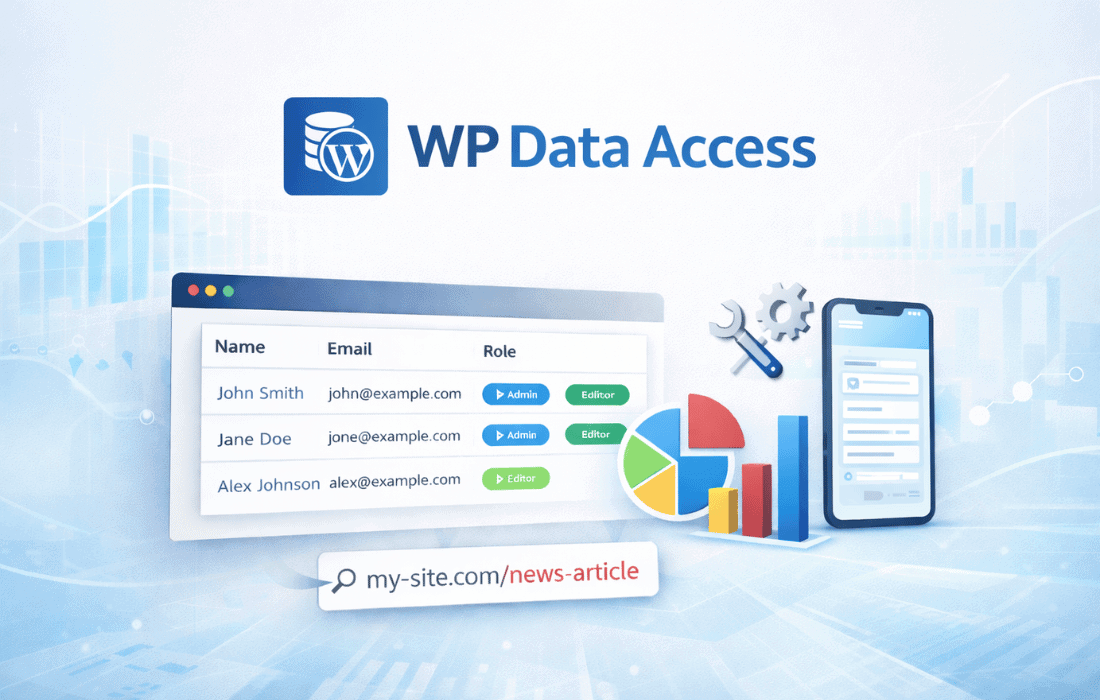
 WP Data Access Premium is a robust WordPress plugin designed to empower both developers and site owners with unparalleled control over their website’s database directly from the familiar WordPress dashboard. It transforms the often complex and intimidating task of database management into an accessible and intuitive process, eliminating the need for external tools like phpMyAdmin or direct command-line interaction for many common operations. By integrating powerful data manipulation capabilities, including viewing, editing, filtering, sorting, importing, exporting, and even building custom queries without writing a single line of code, WP Data Access Premium provides a comprehensive solution for anyone seeking deeper insights and more efficient management of their site’s underlying data structure.
At its core, WP Data Access Premium offers a centralized hub within the WordPress administration area for interacting with your site’s database. This integration is a significant advantage, as it streamlines workflows and reduces the context switching typically associated with database tasks. Users can navigate through their database tables, inspect their contents, and perform various operations without ever leaving the WordPress environment.
Viewing and Inspecting Database Tables
One of the fundamental features of WP Data Access Premium is its ability to present a clear and organized view of all database tables. Users can easily browse through the tables that constitute their WordPress installation, including core WordPress tables (like wp_posts, wp_users, wp_options), as well as tables created by plugins and themes. For each table, the plugin provides a structured display of its rows and columns, allowing for quick inspection of data. This visual representation is crucial for understanding how different pieces of information are stored and interconnected within the database. Developers can use this to debug issues, verify data integrity, or understand the data structures of third-party plugins. Site owners can gain a better understanding of their content, user data, or e-commerce transactions by directly viewing the raw data.
Effortless Data Editing
Beyond mere viewing, WP Data Access Premium provides the capability to directly edit data within your database tables. This feature is incredibly powerful, offering a level of control that is typically reserved for advanced users with direct database access. Users can modify individual cell values, update entire rows, or even delete specific entries directly from the WordPress dashboard interface. This direct editing capability is invaluable for a multitude of scenarios:
The ability to perform these edits within the familiar WordPress environment significantly lowers the barrier to entry for database manipulation, making it accessible to a broader range of users while still providing the necessary power for complex tasks. However, with great power comes great responsibility, and users are always advised to exercise caution when directly editing database content, ideally after performing a backup.
WP Data Access Premium extends its core viewing and editing capabilities with a suite of advanced tools designed to help users manage and interact with their data more dynamically and efficiently.
Powerful Filtering Capabilities
Navigating large database tables can be daunting, but WP Data Access Premium simplifies this with robust filtering options. Users can apply various criteria to narrow down the displayed data, focusing only on the information that is relevant to their current task. This can include filtering by specific column values, date ranges, text strings, numerical comparisons, and more. For example, a site owner might filter the wp_posts table to show only posts published by a specific author within a certain date range, or filter the wp_users table to find users with a particular role. This precise filtering capability is essential for data analysis, troubleshooting, and targeted data management, allowing users to quickly locate and work with specific subsets of their data without being overwhelmed by the entire dataset.
Intuitive Data Sorting
Complementing the filtering features, WP Data Access Premium also provides intuitive data sorting. Users can sort table data by any column in ascending or descending order. This allows for easy organization and analysis of information. For instance, sorting a table of e-commerce orders by date can show the most recent transactions, while sorting by product ID can group similar items. Sorting by user registration date can reveal growth trends, and sorting by post title can help in content audits. The ability to dynamically reorder data views on the fly enhances readability and facilitates quicker insights into the data’s structure and patterns.
Seamless Data Importing
The plugin offers powerful functionality for importing data into your WordPress database tables. This feature is invaluable for migrating data from external sources, populating new tables, or updating existing records in bulk. While the specific formats supported are not detailed, the general capability to import data implies a streamlined process for bringing external datasets into the WordPress environment. This could be used for:
The import process is designed to be user-friendly, guiding users through the steps required to map external data fields to the appropriate database columns, ensuring data integrity and accuracy during the transfer.
Efficient Data Exporting
Equally important is the ability to export data from your database tables. WP Data Access Premium allows users to extract data for various purposes, such as backups, external analysis, reporting, or migration to other systems. This feature ensures that users can easily retrieve their valuable data in a usable format. Common use cases for data exporting include:
The export functionality is designed to be flexible, allowing users to select specific tables, apply filters, and choose the desired output format, making it a versatile tool for data management and portability.
Perhaps one of the most distinguishing and powerful features of WP Data Access Premium is its ability to enable users to build complex custom database queries without needing to write SQL code. This capability democratizes access to advanced database operations, making them available to a much wider audience, including site owners and administrators who may not have programming expertise.
Visual Query Builder
The plugin provides a visual interface that allows users to construct queries by selecting tables, specifying columns, defining relationships between tables (if applicable), and applying various conditions and aggregations. Instead of typing out SQL commands like SELECT, FROM, WHERE, JOIN, and ORDER BY, users interact with a graphical builder that translates their selections into executable database queries. This visual approach simplifies the process of:
This “no-code” query builder is a game-changer for anyone who needs to extract specific, tailored information from their database but lacks the technical skills to write SQL. It empowers users to gain deeper insights into their site’s operations, identify trends, and make data-driven decisions without relying on a developer for every custom data request.
WP Data Access Premium is designed with two primary user groups in mind, offering distinct benefits to each:
For Developers
Developers often need direct and efficient access to the database for various tasks. WP Data Access Premium serves as an invaluable tool in their arsenal:
By providing a powerful, in-dashboard interface, the plugin saves developers time and effort, allowing them to focus more on coding and less on managing external database tools.
For Site Owners and Administrators
Site owners and administrators, while not always technical experts, often require a better understanding and control over their site’s data. WP Data Access Premium empowers them in several ways:
The plugin bridges the gap between the user-friendly WordPress interface and the raw power of the underlying database, making advanced data management accessible to a broader audience.
The primary advantage of WP Data Access Premium lies in its seamless integration with the WordPress dashboard. This approach offers several significant benefits:
In essence, WP Data Access Premium transforms the WordPress dashboard into a powerful database management console, providing a comprehensive, user-friendly, and efficient way to interact with your site’s most critical asset: its data.


