

Updates for one year, unlimited sites, auto updates, and regular updates.
$3.99
 BookmarkBookmarked
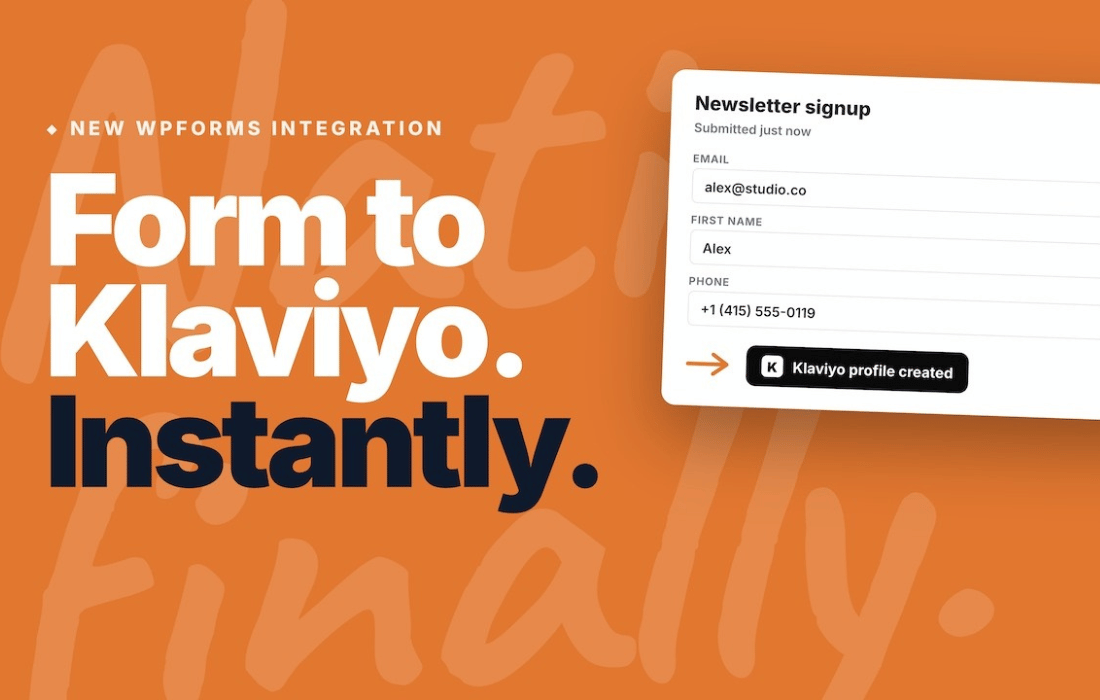
 The WPForms Klaviyo plugin serves as a specialized bridge between the popular WPForms drag-and-drop form builder and the Klaviyo marketing automation platform. By integrating these two powerful tools, website owners can seamlessly capture lead information through custom forms and automatically synchronize that data with their Klaviyo lists, enabling sophisticated email marketing, SMS campaigns, and customer segmentation strategies without requiring manual data entry or complex API coding.
At its core, the WPForms Klaviyo integration is designed to streamline the lead generation process. When a user submits a form on your WordPress site, the plugin acts as a conduit, instantly passing the submitted information directly into your designated Klaviyo account. This eliminates the friction associated with exporting CSV files or relying on third-party middleware, ensuring that your subscriber lists are always up-to-date with the latest contact information.
The integration is built to handle various data points beyond simple email addresses. Depending on the configuration of your WPForms fields, the plugin can map names, phone numbers, and custom profile properties directly into Klaviyo. This level of granularity allows marketers to build detailed profiles for their subscribers from the very first interaction, which is essential for creating personalized marketing journeys.
The plugin is engineered for ease of use, allowing WordPress administrators to manage their marketing funnels directly from the WordPress dashboard. By utilizing the native WPForms interface, users can add a Klaviyo connection to any form with just a few clicks.
The primary benefit of using WPForms Klaviyo is the ability to trigger automated marketing workflows. Once a lead is captured, Klaviyo‚Äôs automation engine can take over. For example, if a user fills out a “Request a Quote” form, the data is sent to Klaviyo, which can then trigger a personalized follow-up email sequence. This automation ensures that no lead is left unattended and that your communication remains timely and relevant.
Another common use case involves e-commerce stores. By integrating WPForms with Klaviyo, store owners can capture customer feedback or survey responses and attach that data to the customer’s profile. This allows for highly targeted marketing‚Äîfor instance, sending a special discount code to customers who indicated they were interested in a specific product category during a survey.
Setting up the connection is a straightforward process that typically involves authenticating your Klaviyo account via an API key. Once the connection is established, you navigate to the “Settings” tab within your specific WPForms form. From there, you can enable the Klaviyo provider, select your desired list, and begin the mapping process. The interface is designed to be intuitive, even for users who do not have a background in web development or API management.
The plugin also provides error handling and logging, which is crucial for troubleshooting. If a submission fails to reach Klaviyo due to an API issue or a configuration error, administrators can often identify the problem through the plugin’s interface, ensuring that data loss is minimized.
By using WPForms Klaviyo, you are not just collecting emails; you are building a foundation for long-term customer relationships. Because Klaviyo excels at behavioral tracking, having a clean and automated flow of data from your website forms allows you to create “segments” based on real-time user activity. You can differentiate between new subscribers, repeat customers, and inactive users, tailoring your messaging to each group effectively.
Furthermore, the ability to collect phone numbers through WPForms and sync them to Klaviyo opens up opportunities for SMS marketing. Given the high open rates associated with SMS, this integration provides a significant advantage for businesses looking to diversify their communication channels beyond traditional email.
While WPForms Klaviyo is a robust solution for those already invested in the WPForms ecosystem, there are other ways to achieve similar results depending on your specific tech stack:
In summary, the WPForms Klaviyo plugin is an essential tool for WordPress users who prioritize data-driven marketing. By automating the transfer of lead data, it allows business owners to focus on crafting compelling content and offers rather than managing spreadsheets. Whether you are running a small blog or a large e-commerce store, the ability to seamlessly move data from your forms to your marketing automation platform is a key component of a successful digital strategy.


