

Updates for one year, unlimited sites, auto updates, and regular updates.
$3.99
 BookmarkBookmarked
 The plugin is activated, Use the following key when prompted: 43AC798A2DA21A4A7C5B29C0BA38B6AC
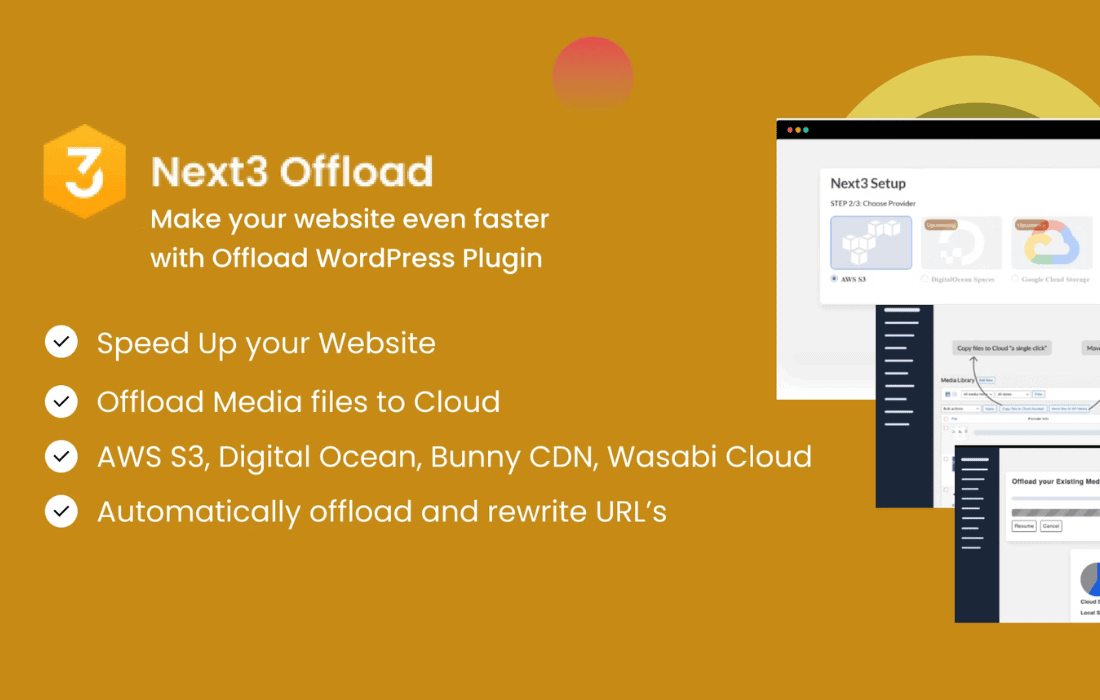
Next3 Offload is a comprehensive media management and performance optimization tool designed specifically for WordPress websites that handle significant amounts of visual content. As websites grow, the accumulation of images, videos, and large documents can lead to bloated server storage, slower backup processes, and degraded site performance. Next3 Offload addresses these challenges by migrating media files from the local WordPress server to specialized cloud storage providers. By serving these files through a Content Delivery Network (CDN), the plugin ensures that media is delivered to users from the closest geographical location, significantly reducing latency and improving page load speeds.
At its heart, Next3 Offload functions as a bridge between a WordPress installation and external cloud storage environments. When a user uploads a file to the WordPress Media Library, the plugin automatically intercepts that file and copies it to a designated bucket or container in the cloud. Once the file is safely stored externally, the plugin rewrites the file’s URL within the WordPress database. This ensures that when a visitor views the website, their browser requests the image or video from the cloud storage or CDN rather than the original web server.
This process is largely invisible to the end-user and the site administrator. The standard WordPress workflow remains intact; users continue to use the “Add Media” button and manage their files within the familiar Media Library interface. However, the underlying infrastructure is transformed to be more scalable and efficient.
One of the primary strengths of Next3 Offload is its versatility in supporting a wide array of cloud storage ecosystems. This flexibility allows site owners to choose a provider based on their specific budget, geographic requirements, or existing technical stack.
While moving files to the cloud saves server space, the real performance gains come from how those files are delivered to the visitor. Next3 Offload is designed to work in tandem with Content Delivery Networks (CDNs). By configuring a CDN (such as Cloudflare, BunnyCDN, or Amazon CloudFront) to sit in front of the cloud storage, the plugin ensures that media assets are cached at “edge” locations around the world.
When a visitor in London accesses a site hosted in New York, the CDN serves the images from a London-based server. This drastically reduces the Time to First Byte (TTFB) and the overall page load time. Next3 Offload handles the URL rewriting necessary to point these assets to the CDN’s custom domain, ensuring a professional appearance and consistent branding.
One of the most significant advantages of using Next3 Offload is the ability to free up local disk space. Most shared hosting and even some VPS plans have strict limits on storage capacity. High-resolution images and video content can quickly exhaust these limits.
Next3 Offload includes a feature that allows administrators to remove the local copies of media files once they have been successfully uploaded to the cloud. This “Remove from Server” functionality ensures that the WordPress hosting environment remains lean. This has several secondary benefits:
Next3 Offload is built to handle both new and existing content. For websites that already have a large library of images, the plugin provides bulk migration tools. These tools scan the existing Media Library and systematically upload files to the cloud in the background. This ensures that even established sites can transition to a cloud-based architecture without manual effort.
The plugin also manages different image sizes generated by WordPress. When an image is uploaded, WordPress typically creates several smaller versions (thumbnails, medium, large). Next3 Offload ensures that all these generated sizes are offloaded to the cloud, maintaining the responsive image functionality inherent in WordPress.
Beyond just images and videos, Next3 Offload often extends its capabilities to include “assets” such as CSS and JavaScript files. These files are essential for the visual styling and interactivity of a site. By offloading these static assets to the cloud and serving them via a CDN, the plugin further reduces the number of requests made directly to the web server. This is particularly beneficial for sites with complex themes or numerous plugins that load many individual scripts and stylesheets.
Despite the technical complexity of what it does, Next3 Offload is designed with a user-friendly interface. The dashboard provides a clear overview of the offloading status, showing how many files are stored locally versus in the cloud. It also provides logs and error reporting to help administrators troubleshoot any issues with file transfers or API connections.
The configuration process typically involves entering API keys and secret tokens provided by the cloud storage service. Once the connection is established, the plugin offers a “toggle and forget” experience where the automation takes over the daily management of media assets.
Security is a critical consideration when moving data to the cloud. Next3 Offload utilizes secure transfer protocols to ensure that data is encrypted while in transit from the WordPress server to the cloud provider. Additionally, by using IAM (Identity and Access Management) roles or specific API permissions, site owners can ensure that the plugin only has the necessary access to the specific storage buckets it needs, following the principle of least privilege.
The reliability of the plugin is also reflected in its handling of “broken” links. If a cloud service is temporarily unavailable or if there is a configuration error, the plugin often includes fallback mechanisms or clear reporting to ensure that the site remains functional and that the administrator is alerted to the issue immediately.
Different types of websites can benefit from Next3 Offload in various ways:
When implementing Next3 Offload, it is important to follow certain best practices to ensure optimal results. First, administrators should always perform a full backup of their site and database before initiating a bulk migration of existing media. Second, choosing the right CDN is just as important as choosing the right storage provider; the CDN should have a strong presence in the geographic regions where the majority of the site’s audience is located.
Furthermore, users should be aware of “egress” costs. While storage itself is often very inexpensive, some providers charge for the data transferred out of their network. Using a CDN can help mitigate these costs by caching the content, so it is not pulled from the storage bucket for every single visitor.
If you are looking for other solutions that provide similar functionality to Next3 Offload, there are several well-established options in the WordPress ecosystem. These plugins offer various features for offloading media and optimizing delivery.
Next3 Offload stands as a robust solution for WordPress users looking to modernize their media infrastructure. By decoupling media storage from the web server, it provides a path toward better performance, lower costs, and improved scalability. Whether for a small blog anticipating growth or a large enterprise managing vast archives of content, the plugin offers the tools necessary to ensure that media delivery is never a bottleneck for site success.


