

Updates for one year, unlimited sites, auto updates, and regular updates.
$3.99
 BookmarkBookmarked
 One Accessibility Pro is a comprehensive WordPress solution designed to bridge the gap between standard web design and inclusive digital experiences. As web accessibility becomes a legal and ethical priority for site owners worldwide, this plugin provides a robust suite of tools to help websites meet international standards such as WCAG 2.1, ADA, and Section 508. By integrating a highly customizable accessibility toolbar and backend remediation features, One Accessibility Pro ensures that visitors with visual, cognitive, or motor impairments can navigate, understand, and interact with content seamlessly.
In the modern digital landscape, accessibility is no longer an optional feature but a fundamental requirement for any professional website. Millions of users rely on assistive technologies or specific browser adjustments to consume online content. One Accessibility Pro addresses these needs by providing a user-centric interface that allows individuals to tailor their browsing experience in real-time. This not only improves the user experience for people with disabilities but also enhances the overall usability of the site for elderly users and those with temporary impairments.
Beyond the ethical considerations, maintaining an accessible website is a critical component of legal compliance. Many jurisdictions now enforce strict accessibility laws, and failure to comply can lead to significant legal risks. One Accessibility Pro helps mitigate these risks by implementing standardized accessibility features that align with the Web Content Accessibility Guidelines (WCAG). Furthermore, search engines like Google increasingly prioritize user experience as a ranking factor; therefore, an accessible site often sees improvements in SEO performance and broader audience reach.
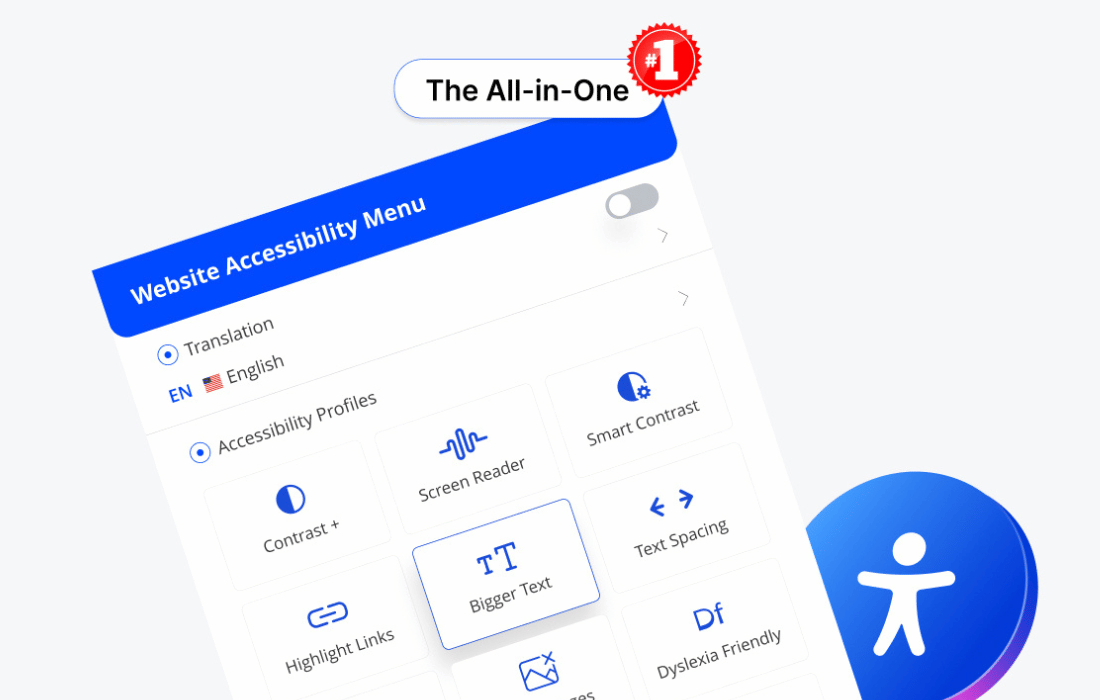
The centerpiece of One Accessibility Pro is its versatile accessibility toolbar. This floating or docked interface provides users with immediate access to a variety of visual and functional adjustments. Unlike static accessibility fixes, the toolbar empowers the end-user to choose the specific modifications that suit their individual needs.
The toolbar includes several essential tools designed to improve readability and navigation:
For many users with motor impairments, using a mouse is difficult or impossible. One Accessibility Pro enhances the native keyboard navigation capabilities of WordPress themes to ensure that every element of the site is reachable via the “Tab” key. This includes the implementation of a “Skip to Content” link, which allows keyboard users to bypass repetitive navigation menus and jump directly to the main article or page content.
The plugin also focuses on focus outlines. When a user navigates via keyboard, a clear visual indicator appears around the active element. One Accessibility Pro allows administrators to customize the color and thickness of these outlines to ensure they are visible against any background. This level of detail is crucial for maintaining compliance with WCAG success criteria regarding focus visibility.
Beyond simple contrast and font changes, One Accessibility Pro includes features designed to assist users with cognitive disabilities or those who suffer from seizures and light-triggered migraines. The “Stop Animations” feature is particularly important; it allows users to pause any moving elements, such as sliders, carousels, or animated GIFs, which can be distracting or even dangerous for certain individuals.
Additionally, the plugin provides a “Reading Guide” or “Reading Mask” tool. This creates a horizontal bar or a focused window that follows the user’s cursor, helping them stay focused on a single line of text at a time. This is an invaluable tool for individuals with ADHD or dyslexia who may struggle with large blocks of text. The “Big Cursor” option further assists those with visual impairments or motor control issues by increasing the size of the mouse pointer, making it easier to track and aim at interactive elements.
One Accessibility Pro is built with a focus on the Web Content Accessibility Guidelines (WCAG) 2.1. These guidelines are the gold standard for web accessibility and form the basis for many legal frameworks, including the Americans with Disabilities Act (ADA) in the United States and the European Accessibility Act (EAA) in Europe. By using this plugin, site owners can address several Level A and Level AA requirements.
The plugin assists in achieving compliance by automating certain technical tasks that are often overlooked during the design phase. This includes ensuring that interactive elements have the correct ARIA (Accessible Rich Internet Applications) labels and that the DOM (Document Object Model) order remains logical for screen readers. While no plugin can guarantee 100% compliance automatically—as some aspects require manual content adjustments like Alt text for images—One Accessibility Pro provides the technical foundation necessary to reach those goals efficiently.
One of the primary advantages of the Pro version is the extensive control it offers to site administrators. Every aspect of the accessibility toolbar can be customized to match the website’s branding. This ensures that the accessibility features feel like an integrated part of the site rather than an afterthought.
Administrators can modify the following settings in the backend:
A common concern with feature-rich plugins is their impact on site loading speeds. One Accessibility Pro is engineered to be lightweight. It utilizes optimized JavaScript and CSS to ensure that the added functionality does not significantly increase page weight or slow down the user experience. The plugin is designed to load asynchronously, meaning the main content of the site is not delayed while the accessibility tools are being prepared.
Compatibility is another core strength. The plugin is built to work with the majority of modern WordPress themes and page builders, including Elementor, Divi, and Beaver Builder. It respects the existing structure of the site and applies its modifications as an overlay, ensuring that the underlying code remains intact. This non-destructive approach makes it a safe choice for established websites that cannot afford major structural changes.
Setting up One Accessibility Pro is straightforward, making it accessible even to those without extensive technical knowledge. Upon activation, the plugin provides a setup wizard or a clear settings panel where the most critical features can be enabled with a single click. The default settings are pre-configured to meet common accessibility needs, allowing site owners to improve their site’s inclusivity almost immediately.
For larger organizations or multisite installations, the plugin offers export and import settings, allowing for consistent accessibility configurations across multiple domains. Regular updates ensure that the plugin remains compatible with the latest versions of WordPress and evolves alongside changing accessibility standards and browser technologies.
If you are exploring options for WordPress accessibility, there are several other reputable tools available in the ecosystem. Each has its own strengths, ranging from automated remediation to manual auditing tools.
One Accessibility Pro stands out as a balanced solution for WordPress users who want to provide a customizable, user-friendly accessibility interface while maintaining control over their site’s design and performance. By combining visual adjustments, navigation enhancements, and compliance-focused features, it serves as a vital tool for creating a truly inclusive digital environment.


