

Updates for one year, unlimited sites, auto updates, and regular updates.
$3.99
 BookmarkBookmarked
 SigmaForms Pro is a comprehensive and high-performance WordPress plugin designed to facilitate the creation of complex, interactive, and secure web forms. Built for both novice site owners and experienced developers, this tool extends the basic functionality of standard contact forms into a robust data collection and management system. By focusing on a balance between user-friendly visual design and deep technical extensibility, the plugin allows users to build everything from simple feedback forms to intricate multi-page applications, payment portals, and registration systems.
The primary objective of SigmaForms Pro is to eliminate the friction between a user’s intent and the final digital interface. In the modern web environment, forms are the primary touchpoint for lead generation, customer support, and e-commerce transactions. SigmaForms Pro addresses these needs by providing a stable, scalable, and intuitive environment where forms can be constructed without touching a single line of code, yet remains flexible enough for developers to hook into its core architecture for bespoke requirements.
The plugin is engineered with performance in mind, ensuring that the scripts and styles required to render forms do not negatively impact site loading speeds. By utilizing asynchronous loading techniques and optimized database queries, it maintains a lightweight footprint even when handling thousands of entries or complex conditional logic sequences.
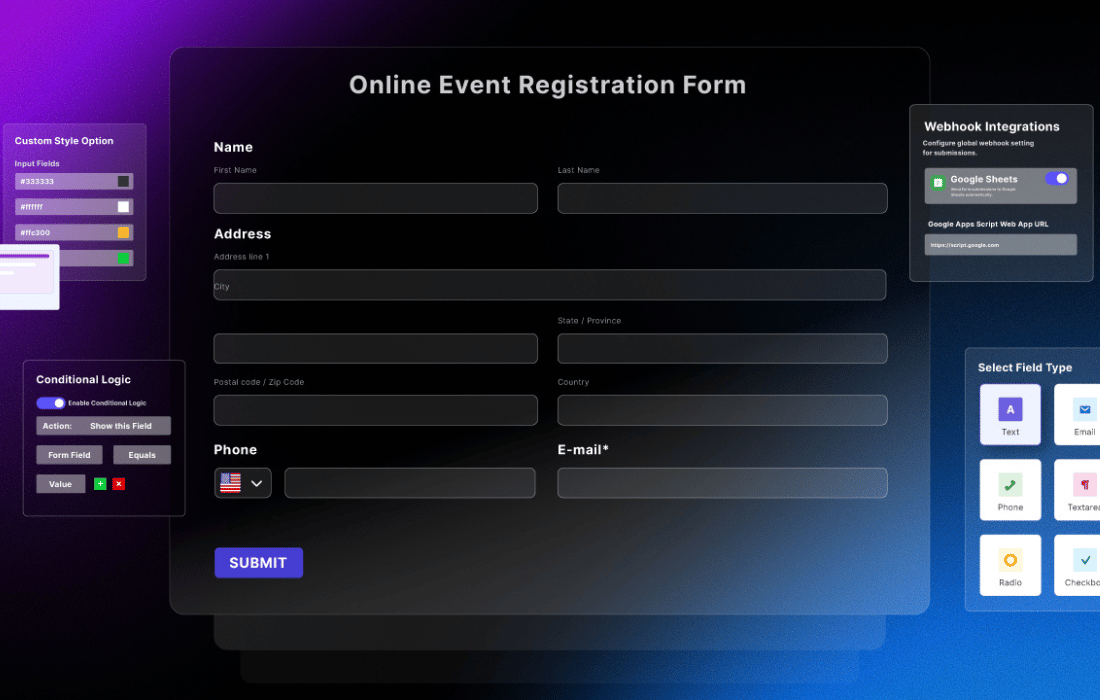
At the heart of the plugin is a drag-and-drop visual editor that provides a real-time preview of the form as it is being built. This interface allows users to select fields from a comprehensive library and place them precisely where they are needed. The builder is designed to be responsive, meaning that forms automatically adjust their layout to look professional on desktops, tablets, and smartphones.
Intuitive Drag-and-Drop Interface
The builder interface is divided into a canvas area and a field sidebar. Users can simply click or drag elements such as text inputs, checkboxes, and file uploaders onto the canvas. Once placed, each field can be individually configured through a settings panel that controls labels, placeholder text, default values, and validation rules. This visual approach reduces the time required to deploy new forms and allows for rapid prototyping of user interfaces.
Extensive Field Library
SigmaForms Pro includes a wide array of field types that go far beyond standard text inputs. These fields are categorized to help users find the right tool for their specific data collection needs:
One of the most powerful features of SigmaForms Pro is its conditional logic engine. This allows site owners to create “smart” forms that react to user input in real-time. By showing or hiding fields based on previous selections, the plugin ensures that users only see the questions that are relevant to them, which significantly improves completion rates and reduces form fatigue.
Conditional logic can be applied to individual fields, entire sections, or even the submit button. For example, a support form could display a “Serial Number” field only if the user selects “Hardware Issue” from a category dropdown. Similarly, logic can be used to route email notifications to different departments based on the user’s location or the urgency of their request. This level of automation transforms a static form into a dynamic workflow tool.
For long surveys or complex registration processes, presenting all fields on a single page can be overwhelming for the user. SigmaForms Pro includes a multi-page functionality that allows forms to be broken down into logical steps or sections. This approach improves the user experience by making the data entry process feel more manageable.
The plugin provides several tools to enhance multi-page forms:
SigmaForms Pro is frequently used as a lightweight e-commerce solution. It integrates with major payment gateways, allowing site owners to collect payments, donations, or deposits directly through their forms. This eliminates the need for a full shopping cart system for simple transactions.
The payment features include support for one-time payments as well as recurring subscriptions. Users can create order forms that calculate totals in real-time based on the quantities and options selected by the customer. Integration with services like Stripe and PayPal ensures that transactions are handled securely and that the site owner receives immediate confirmation of successful payments. This makes the plugin an ideal choice for event registrations, digital product sales, and service bookings.
Data collected through forms is most valuable when it is synchronized with other business tools. SigmaForms Pro offers a wide range of integrations with popular marketing automation platforms and Customer Relationship Management (CRM) systems. By connecting forms to these services, businesses can automate their lead generation and nurturing processes.
When a form is submitted, the data can be automatically sent to platforms such as Mailchimp, HubSpot, or Salesforce. This allows for the immediate addition of new subscribers to mailing lists or the creation of new lead records in a CRM. These integrations help ensure that no lead is lost and that the sales team can respond to inquiries with minimal delay.
Protecting forms from automated spam bots is a critical concern for any WordPress site. SigmaForms Pro includes multiple layers of security to ensure that only legitimate entries are processed. These tools are designed to be effective without creating unnecessary hurdles for real users.
The plugin supports several spam mitigation techniques:
Collecting data is only half the battle; managing and analyzing that data is equally important. SigmaForms Pro provides a dedicated entry management dashboard within the WordPress admin area. Here, site owners can view, search, filter, and edit every submission received through their forms.
For those who need to perform deeper analysis or move data into other applications, the plugin offers robust export options. Entries can be exported to CSV or Excel formats with just a few clicks. Additionally, the plugin can generate basic reports and charts to help users visualize trends in form submissions, such as conversion rates over time or the distribution of answers in a survey.
While SigmaForms Pro is designed to look great out of the box, it also provides extensive customization options to ensure that forms match the branding of the website. The plugin includes a built-in style customizer that allows users to change colors, fonts, margins, and borders without writing CSS.
For more advanced styling, the plugin assigns unique IDs and classes to every element of the form, making it easy for developers to apply custom CSS. This ensures that the forms can be seamlessly integrated into any WordPress theme, maintaining a consistent visual identity across the entire site.
SigmaForms Pro is built with developers in mind. It includes a wide range of hooks, filters, and actions that allow for deep customization of the plugin’s behavior. Developers can use these tools to create custom field types, modify data before it is saved to the database, or trigger external API calls upon form submission.
The plugin also features a well-documented API, making it possible to build custom add-ons or integrate the form data with proprietary internal systems. This flexibility makes SigmaForms Pro a preferred choice for agencies and developers who need to build highly specialized solutions for their clients.
In today’s digital landscape, web accessibility is not just a best practice but a legal requirement in many jurisdictions. SigmaForms Pro is developed with a focus on WCAG (Web Content Accessibility Guidelines) compliance. This ensures that forms are usable by individuals who rely on screen readers or keyboard navigation.
Furthermore, the plugin includes features to help site owners comply with data protection regulations such as the GDPR. This includes tools for adding consent checkboxes, options for anonymizing IP addresses, and features for easily exporting or deleting a user’s personal data upon request. By prioritizing privacy and accessibility, SigmaForms Pro helps site owners build trust with their audience.
If you are exploring the market for professional WordPress form builders, there are several established alternatives that offer similar professional-grade features. These plugins are widely recognized for their reliability and extensive feature sets.


